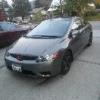
Nikitaaa Posted May 14, 2012 Report Posted May 14, 2012 So reciently I have been boosting songs around my peak. I'm just not sure if I'm doing it right..? First, I amplify the song down a few db to completely take away clipping then, I'm boost my cars peak (42hz) as much as possible before it clips(-5 to -1db). If it clips, I just amplify it down about -0.1 or so.. My issue is the mids and highs are not as loud as the original version.. What am I doing wrong? Edit- my gains are set at -5 so I'm not to worried about clipping my equipment, let's try to stay on topic 2007 M/T Honda Civic Coupe EX (4) Sundown Audio X-8's (2) Ampere Audio 3800.1's (3) Stinger SPV-44 Batteries (1) Mechman 240 3:1 Ratio 4th order sealed from the trunkTEAM NWSPLBest termlab scores to date in Honda trunk:151.7db legal (official) IASCA trunk 3 classBest termlab scores to date in my walled Subie:152.9db legal (unofficial) IASCA advanced 2 class155db outlaw
Guest Posted May 14, 2012 Report Posted May 14, 2012 you cant take clipping away as simple as just making the song quieter. it still clips, just the clips are slightly quieter cause you deamplified the song.
Nikitaaa Posted May 14, 2012 Author Report Posted May 14, 2012 you cant take clipping away as simple as just making the song quieter. it still clips, just the clips are slightly quieter cause you deamplified the song. Ah, okay. A tiny bit of clipping shouldn't hurt. My main goal is just to boost my peak while cleaning up the songs as much as possible. I would like to know the ways others boost their music around a certain frequency, though. 2007 M/T Honda Civic Coupe EX (4) Sundown Audio X-8's (2) Ampere Audio 3800.1's (3) Stinger SPV-44 Batteries (1) Mechman 240 3:1 Ratio 4th order sealed from the trunkTEAM NWSPLBest termlab scores to date in Honda trunk:151.7db legal (official) IASCA trunk 3 classBest termlab scores to date in my walled Subie:152.9db legal (unofficial) IASCA advanced 2 class155db outlaw
Colin - STAPUFT Posted May 14, 2012 Report Posted May 14, 2012 How I do it: Open Audacity. Open The song twice in Audacity. "Normalize" both of them. First song: High Pass Filter (whatever frequency: 50 hz, whatever), then EQ and cut everything below whatever (say 50) Second song: Low Pass Filter (say, 50-60 hz... whatever), EQ and cut everything above whatever (50, 60 ex..) (you can HP/LP them, EQ them, whatever as many times as you want... you can do it on multiples- Like a Treble track, Mid Track, Bass, Sub-Bass track, etc...) "Normalize" both of them again. Then, boost your Bass track or Tracks. Then play them and make sure you don't have clippage... if you do, lower your levels. This way though, you can independently adjust your highs/mids/bass. It is tricky to do with some songs and still get the vocals you want. Best way to start though is with a track that is clean to begin with. Once there is clipping- it can't be unclipped. Have fun messing around. ...that's how I waste my time with Audacity anyway.... 12 - 12"s in the STAY PUFT 1989 Chevy Astro Build & Comment Log Un-Interrupted Build LogYouTube Channel Chevy Trailblazer 5.1 Dolby Digital DTS Install You have a beard of a mysterious sea captain. I would follow you to hell and back.
Nikitaaa Posted May 14, 2012 Author Report Posted May 14, 2012 How I do it: Open Audacity. Open The song twice in Audacity. "Normalize" both of them. First song: High Pass Filter (whatever frequency: 50 hz, whatever), then EQ and cut everything below whatever (say 50) Second song: Low Pass Filter (say, 50-60 hz... whatever), EQ and cut everything above whatever (50, 60 ex..) (you can HP/LP them, EQ them, whatever as many times as you want... you can do it on multiples- Like a Treble track, Mid Track, Bass, Sub-Bass track, etc...) "Normalize" both of them again. Then, boost your Bass track or Tracks. Then play them and make sure you don't have clippage... if you do, lower your levels. This way though, you can independently adjust your highs/mids/bass. It is tricky to do with some songs and still get the vocals you want. Best way to start though is with a track that is clean to begin with. Once there is clipping- it can't be unclipped. Have fun messing around. ...that's how I waste my time with Audacity anyway.... Than you, sir!!!!!! This is perfect 2007 M/T Honda Civic Coupe EX (4) Sundown Audio X-8's (2) Ampere Audio 3800.1's (3) Stinger SPV-44 Batteries (1) Mechman 240 3:1 Ratio 4th order sealed from the trunkTEAM NWSPLBest termlab scores to date in Honda trunk:151.7db legal (official) IASCA trunk 3 classBest termlab scores to date in my walled Subie:152.9db legal (unofficial) IASCA advanced 2 class155db outlaw
Colin - STAPUFT Posted May 14, 2012 Report Posted May 14, 2012 Hope it helps. I don't pretend to know what I am doing- it is just fun to mess with. 12 - 12"s in the STAY PUFT 1989 Chevy Astro Build & Comment Log Un-Interrupted Build LogYouTube Channel Chevy Trailblazer 5.1 Dolby Digital DTS Install You have a beard of a mysterious sea captain. I would follow you to hell and back.
Nikitaaa Posted May 14, 2012 Author Report Posted May 14, 2012 Hope it helps. I don't pretend to know what I am doing- it is just fun to mess with. So doing this, is there an efficient way to clean up mids/highs? Just deamplify them if they clip and somehow boost them if they don't? 2007 M/T Honda Civic Coupe EX (4) Sundown Audio X-8's (2) Ampere Audio 3800.1's (3) Stinger SPV-44 Batteries (1) Mechman 240 3:1 Ratio 4th order sealed from the trunkTEAM NWSPLBest termlab scores to date in Honda trunk:151.7db legal (official) IASCA trunk 3 classBest termlab scores to date in my walled Subie:152.9db legal (unofficial) IASCA advanced 2 class155db outlaw
Colin - STAPUFT Posted May 14, 2012 Report Posted May 14, 2012 Hope it helps. I don't pretend to know what I am doing- it is just fun to mess with. So doing this, is there an efficient way to clean up mids/highs? Just deamplify them if they clip and somehow boost them if they don't? Sure. But- as has been said, if it is clipped when you start off- then it is still clipped. Nothing you can do- Garbage in, Garbage out as programmers would say. 12 - 12"s in the STAY PUFT 1989 Chevy Astro Build & Comment Log Un-Interrupted Build LogYouTube Channel Chevy Trailblazer 5.1 Dolby Digital DTS Install You have a beard of a mysterious sea captain. I would follow you to hell and back.
Nikitaaa Posted May 14, 2012 Author Report Posted May 14, 2012 Hope it helps. I don't pretend to know what I am doing- it is just fun to mess with. So doing this, is there an efficient way to clean up mids/highs? Just deamplify them if they clip and somehow boost them if they don't? Sure. But- as has been said, if it is clipped when you start off- then it is still clipped. Nothing you can do- Garbage in, Garbage out as programmers would say. I guess you can't polish a turd. 2007 M/T Honda Civic Coupe EX (4) Sundown Audio X-8's (2) Ampere Audio 3800.1's (3) Stinger SPV-44 Batteries (1) Mechman 240 3:1 Ratio 4th order sealed from the trunkTEAM NWSPLBest termlab scores to date in Honda trunk:151.7db legal (official) IASCA trunk 3 classBest termlab scores to date in my walled Subie:152.9db legal (unofficial) IASCA advanced 2 class155db outlaw
Decaf Posted May 14, 2012 Report Posted May 14, 2012 you cannot remove DISTORTION from clipping, so the process above might "get rid of red" but it will not eliminate the sounds created from the track being clipped in the first place also its pointless to be boosting at 42hz just because its your cars peak when a song might not even have 42hz note in it, find songs with notes around there, then boost them if they arent already clipping















Recommended Posts
Archived
This topic is now archived and is closed to further replies.