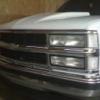
SlappinChevy Posted November 17, 2009 Report Posted November 17, 2009 Any Requests (2)Cerwin Vega HED 12.2 (1)Nitro 1000.1 3.6^3 box tuned to 34 Hz......... All in a single cab Chevy!
IH8PunkRok Posted November 17, 2009 Report Posted November 17, 2009 ill bite. jizz in my pants - the lonely island punk bitch or choke chain - 3 oh! 3 air forces - jeezy but if all you do is slow... dont bother i can do that myself -Matt2005 Dodge Magnum RTJVC KD-AVX1 2 PPI S580.2 Obsidian Audio ST1 Horn Tweeters PRV 8MB450s Audio Legion 3500.1D 2 RE MT 18s 360 ah LiFePO4 BatterySHCA 2/0 155.2 @ 29 hzKicker CVR 15's buildDD 3512e buildMini T-Line Build(6) 8s BuildNightshade 15s Wall BuildMagnum AB XFL 12s BuildNewest Magnum Build
SlappinChevy Posted November 17, 2009 Author Report Posted November 17, 2009 ill bite.jizz in my pants - the lonely island punk bitch or choke chain - 3 oh! 3 air forces - jeezy but if all you do is slow... dont bother i can do that myself bass boost too (2)Cerwin Vega HED 12.2 (1)Nitro 1000.1 3.6^3 box tuned to 34 Hz......... All in a single cab Chevy!
skavenger Posted November 17, 2009 Report Posted November 17, 2009 Any Requests heres some of bigpimpin91's collection & decafs decafs... http://www.stevemeadedesigns.com/board/ind...showtopic=44109 bigpimpin's.... http://www.stevemeadedesigns.com/board/ind...showtopic=30135 both have some good bumop
IH8PunkRok Posted November 17, 2009 Report Posted November 17, 2009 then ill be checking for clipping too but still i can do that myself but by all means go ahead -Matt2005 Dodge Magnum RTJVC KD-AVX1 2 PPI S580.2 Obsidian Audio ST1 Horn Tweeters PRV 8MB450s Audio Legion 3500.1D 2 RE MT 18s 360 ah LiFePO4 BatterySHCA 2/0 155.2 @ 29 hzKicker CVR 15's buildDD 3512e buildMini T-Line Build(6) 8s BuildNightshade 15s Wall BuildMagnum AB XFL 12s BuildNewest Magnum Build
skavenger Posted November 17, 2009 Report Posted November 17, 2009 bass boost too ehh i think i posted in the wrong spot..i thought you were lookin for slowed my b
Decaf Posted November 17, 2009 Report Posted November 17, 2009 hell anyone can slow some music... heres one of my many secrets im willing to share.... play a song thru windows media player, right click and change visualization to bars and waves, and select scope.... then go to enhancements and go to play speed settings... unselect snap slider to common speeds and then while playing a new song u just downloaded u can mess with its speed to see if it sounds good before sending it to editing software to actually change it if all ur doing is slowing... careful with the bassboost, there are better ways to boost bass besides that (eq)
SlappinChevy Posted November 17, 2009 Author Report Posted November 17, 2009 hell anyone can slow some music...heres one of my many secrets im willing to share.... play a song thru windows media player, right click and change visualization to bars and waves, and select scope.... then go to enhancements and go to play speed settings... unselect snap slider to common speeds and then while playing a new song u just downloaded u can mess with its speed to see if it sounds good before sending it to editing software to actually change it if all ur doing is slowing... careful with the bassboost, there are better ways to boost bass besides that (eq) well hell decaf i just got this new software and im new to this and just trying it out im not up there with you with all the chopping and screwing (2)Cerwin Vega HED 12.2 (1)Nitro 1000.1 3.6^3 box tuned to 34 Hz......... All in a single cab Chevy!
Decaf Posted November 17, 2009 Report Posted November 17, 2009 no offense taken, id rather teach others how to do what i do than keep it to myself eventually i wont be doing what i do and someone will have to pick up the slack what software? pm me if u need any help edit* and technically i dont chop, Bigpimpn/Bassaddict does... i cut and slow... and the likelyhood is 99% of u guys on here wouldnt know where i cut the song up, which is my goal
ben29555 Posted November 17, 2009 Report Posted November 17, 2009 Any Requests if you have some songs done you should upload them the more music the better careful with the bassboost, there are better ways to boost bass besides that (eq) what other ways are their to make it loader like from the peak note @10db to 20db without bass bossing on audicity i have slowed a few songs myself but mostly just songs with high bass to get them closer to my peak frequency My Build Log loud bass songs
















Recommended Posts
Archived
This topic is now archived and is closed to further replies.